Your data, backed up to your iCloud
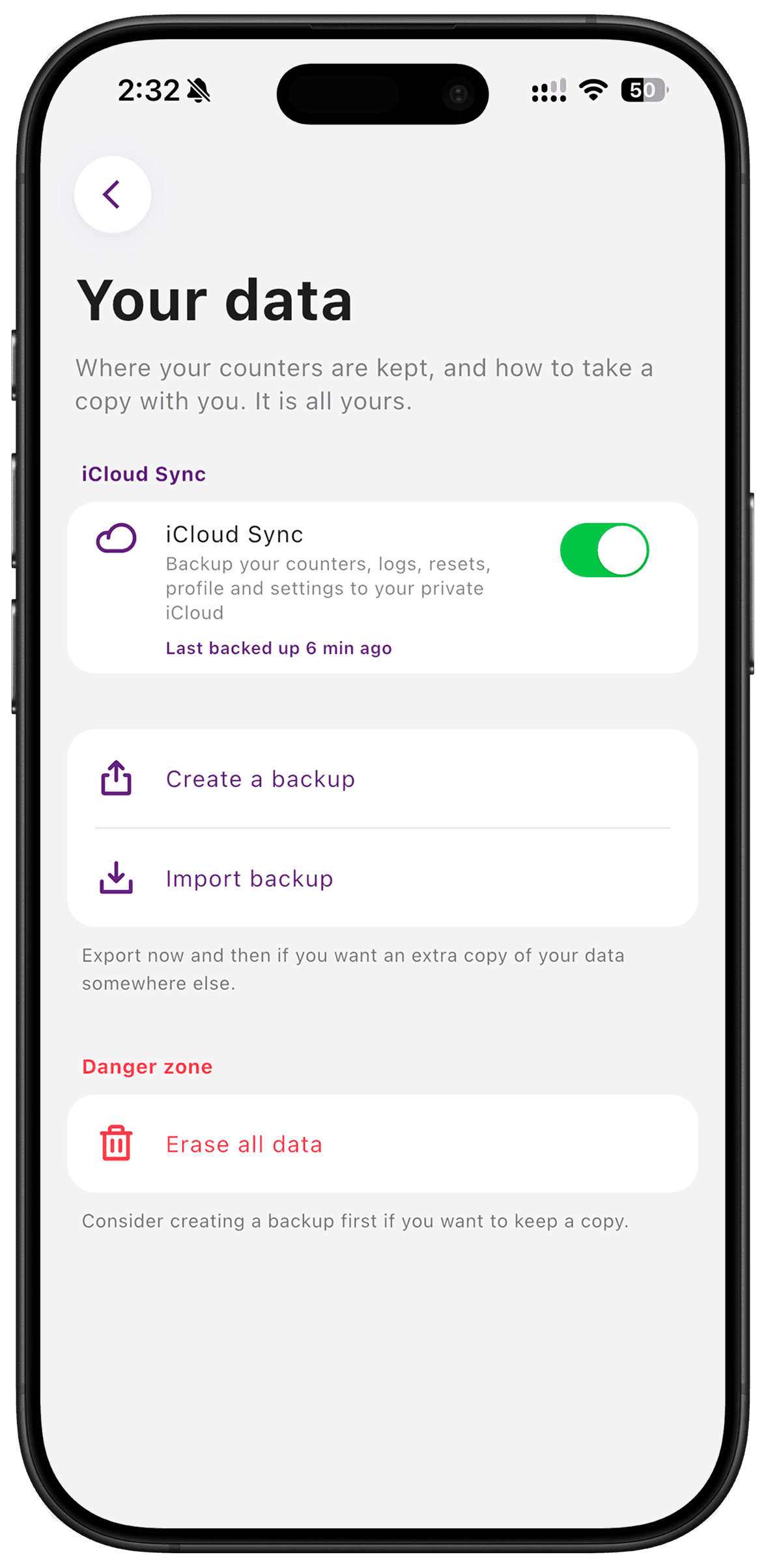
Optional iCloud sync keeps a copy of your TimeSince data in your own private iCloud account. Your database is encrypted on the device, and the developer does not operate a server for your counters. Sync is available on the free tier and stays off until you enable it.
Put it to use
Turn on sync if you want your records available through your own iCloud setup. If you intentionally use the app only on one phone, you can leave it off and keep logging locally.
A small setup
- 1
Choose whether to sync
Open TimeSince Settings and review the iCloud option.
- 2
Enable it when wanted
Use your own Apple account and allow the initial sync to complete.
- 3
Understand deletion
Read the distinction between erasing this device and erasing everywhere before deleting your records.
What TimeSince helps with
- Optional backup and sync through your private iCloud container.
- Local logging without a developer-operated account.
What TimeSince will not fix
- Sync is not shared household collaboration.
- Deleting everywhere also clears the iCloud copy; it is not a permanent archive.
Keep reading
Keep the interval. Leave the pressure.
This feature is included with your first three free counters.