Where your TimeSince data actually lives
Most trackers answer this with a privacy policy. The short version here is structural: there is nowhere else for your data to be, because there is no server to put it on.
By Mar San Agustin
The short answer
Your counters live in a local database on your phone, encrypted with SQLCipher, with the key held in the iOS Keychain. There is no account, no sign-up and no developer-operated server, so there is no copy anywhere else by default. If you turn on iCloud sync, a copy goes to your own private iCloud container under your Apple ID, which only you and your devices can reach. You can export everything as JSON, and Erase Everywhere deletes the local data and the iCloud copies together.
Most apps answer this question with a privacy policy, which is a promise. The answer here is closer to an architectural fact: there is no developer-operated server, so there is no central place your counters could be.
On the device
Your counters, logs, notes and photos sit in a local database on your phone. That database is encrypted with SQLCipher, and the key is generated on your device and kept in the iOS Keychain.
There is no account and no sign-up. Nothing is created on anybody's behalf when you open the app for the first time, which is why there is nothing to breach, sell or subpoena from the developer — not as a policy, but because it does not exist.
If you turn on sync
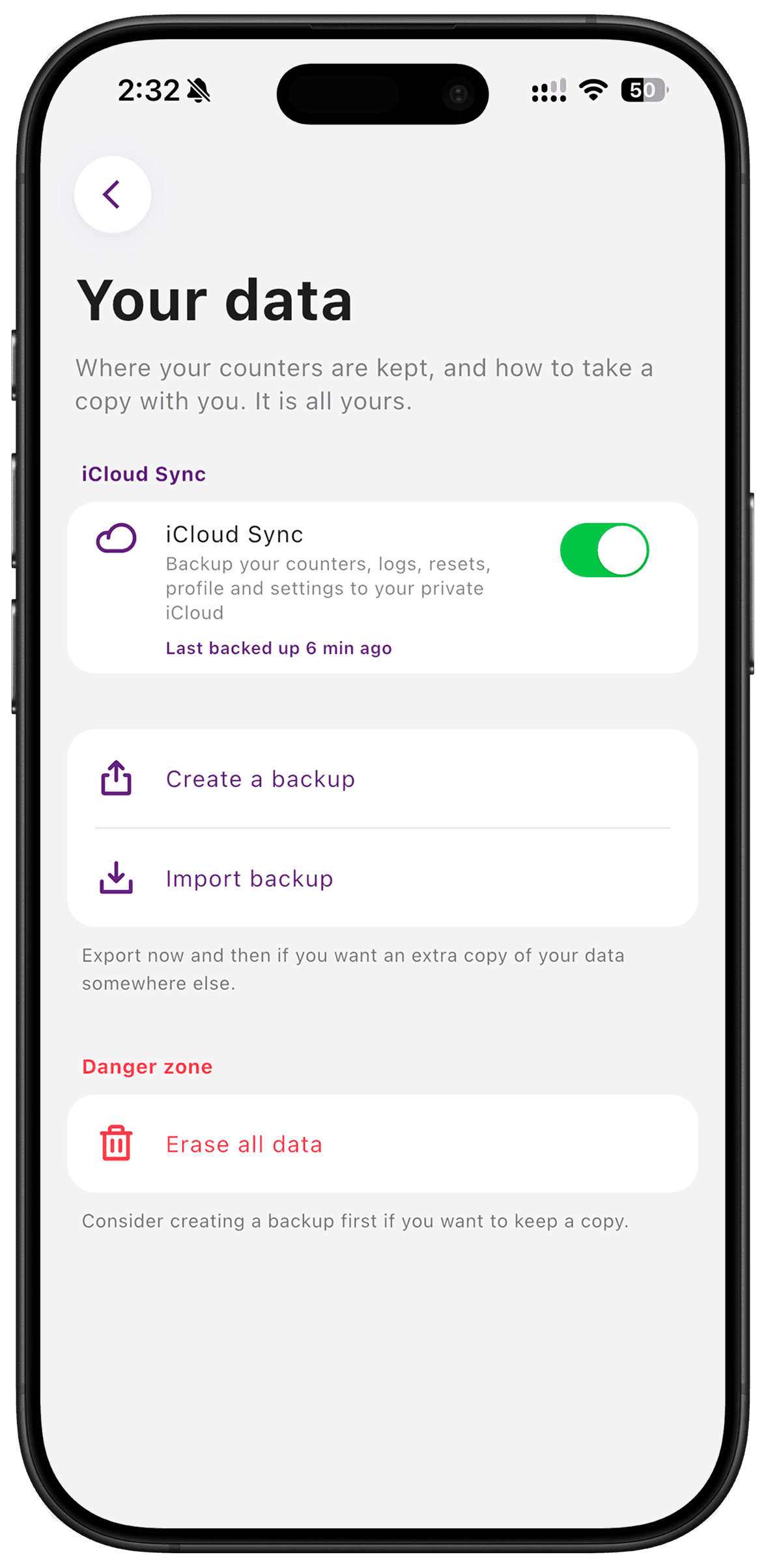
Sync is off until you switch it on. When you do, a copy of your data is written to your own private iCloud container, under your Apple ID. That container is reachable by you and your devices. You can see the file yourself in the Files app under TimeSince.
This is worth stating clearly because it is the part people assume is a paid feature: iCloud sync is free for everyone. It is not part of Pro, and it never has been.
Getting your data out
A JSON export gives you the whole thing in a format you can open and keep. This is the export that matters: not a feature you use weekly, but the one that means choosing this app is not a one-way door.
Deleting it
Two options, and the difference matters. Erase on This Device clears the local database. Erase Everywhere also deletes the iCloud copies. Neither can be undone.
What this does not protect you from
A locally encrypted database protects data at rest on your phone. It does not protect a JSON export you have emailed to yourself, or a screenshot in your camera roll. And if the device is lost and sync was never on, the data is gone — the absence of a server cuts both ways, and that is the trade you are making.
For what the paid tier does and does not change here, Pro adds hidden counters but not sync.
Step by step
- 1
Check whether sync is on
It is off until you switch it on. Settings shows the state plainly, and leaving it off means the data never leaves the device at all.
- 2
Turn on iCloud sync if you want a backup
The copy goes to your own private iCloud container under your Apple ID. You can see the file yourself in the Files app under TimeSince.
- 3
Export a copy you control
A JSON export gives you the whole database in a format you can read and keep. This is the one that survives you changing apps.
- 4
Know how to erase it
Erase on This Device clears the local database. Erase Everywhere also removes the iCloud copies. Neither can be undone, which is the point.
What TimeSince helps with
- An encrypted local database, with the key in the Keychain
- No account to create and no server holding your counters
- Sync to your own iCloud, off until you turn it on
- A full JSON export, and a delete that reaches iCloud too
What TimeSince will not fix
- It cannot protect data once you export it somewhere else
- It is not a secure vault for documents or passwords
- Losing your device and your iCloud means losing the data
Frequently asked questions
Can the developer see my counters?+
No. There is no server holding them. The database is encrypted on your device and any sync goes to your own iCloud container, which the developer has no access to.
Do I need an account?+
No. There is no sign-up, no email, and nothing to create. The app works immediately and the absence of an account is the reason there is nowhere central for your data to sit.
What does the App Store privacy label say?+
It lists only purchase history, as data not linked to you, used for other purposes. No tracking, no identifiers, no usage data, no contact information.
What happens if I delete the app?+
The local database goes with it. If iCloud sync was on, the copy in your own iCloud remains, so reinstalling and enabling sync restores your counters. If sync was off, deleting the app deletes the data.
What this is based on
Track it without the guilt trip
TimeSince counts the time since you last did something. No streaks to break.